December 2, 2025
Estimated reading time: 2 minutes
We're excited to announce the release of integrations with Intuit QuickBooks and Quicken. One of our most highly requested features, these integrations now make Flourish even more valuable for clients looking to streamline account information across their financial systems.
These integrations enable clients to:
Easily create a connection between a Flourish Cash account and a QuickBooks or Quicken account following the steps below.
Flourish offers the capability to securely connect a Flourish Cash account(s) to your Intuit QuickBooks and Quicken accounts. This connection allows you to automatically import account information and transaction data directly into your financial management and accounting applications.
The following information from your Flourish Cash account is shared with QuickBooks:
Account details: Account name, number, type, and description
Personal information: Your name, email address, and phone number
Balance & rate: Account balance and interest rate
Transaction data: Transaction types, amounts, dates, and descriptions
Monthly statements: Monthly PDF account statement for all connected accounts
The following information from your Flourish Cash account is shared with Quicken:
Account details: Account name, number, type, and description
Personal information: Your name, email address, and phone number
Balance & rate: Account balance and interest rate
Transaction data: Transaction types, amounts, dates, and descriptions
Please note that you must share the entire selection – modifications are not permitted.

The connection process must be started from directly within the QuickBooks or Quicken application — not from your Flourish portal.
Once authorized, account information and transaction data will be updated and imported into your QuickBooks or Quicken instance on a daily basis.
Please note that each new Flourish Cash account created after the initial connection will require authorization. To connect a new account, return to the start of the process to initiate a connection within QuickBooks or Quicken and select the new account from the list.
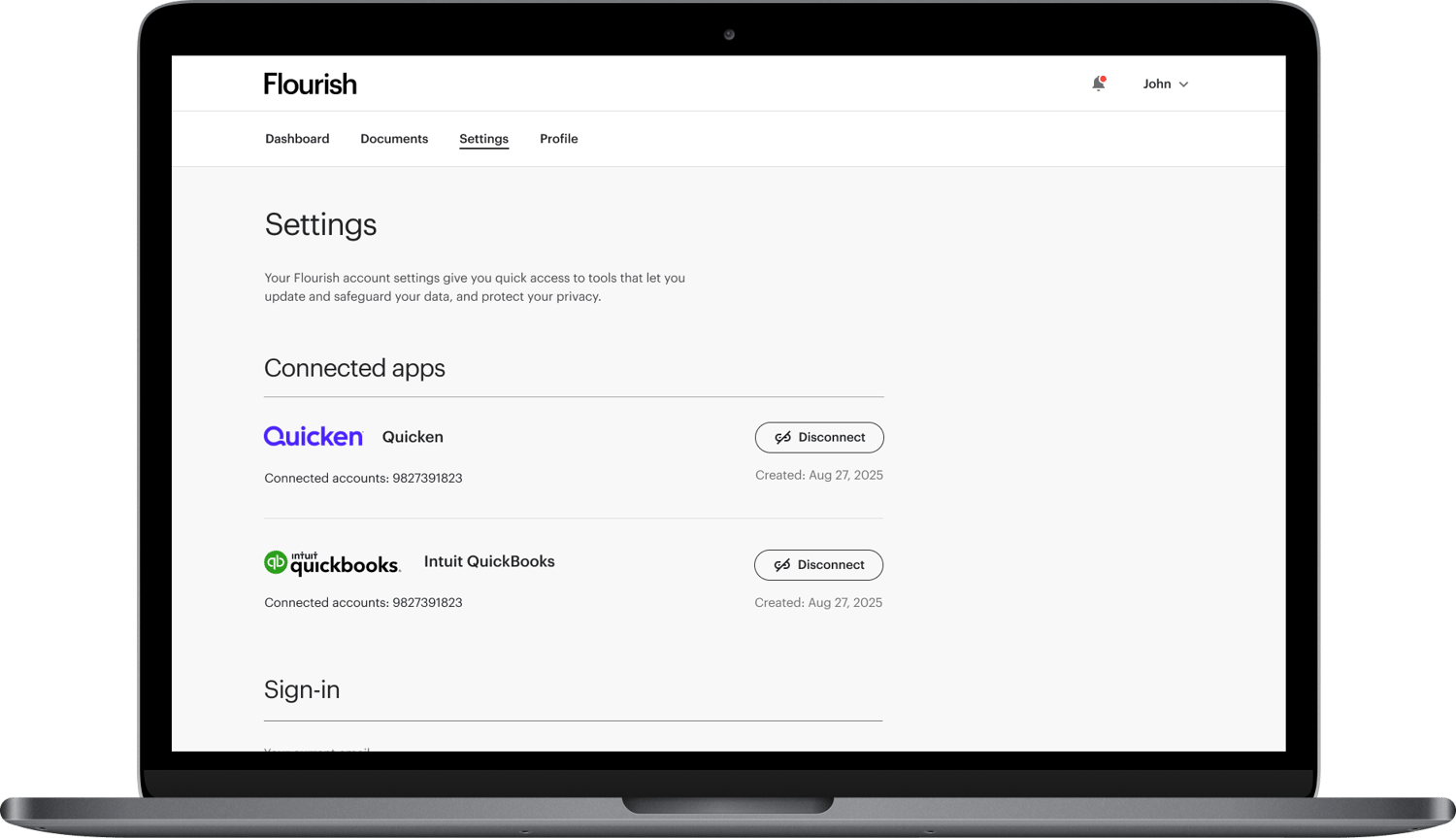
If you would like to disconnect your Flourish Cash account from QuickBooks or Quicken, you can easily do so from within the Flourish platform.
Please note that revoking the connection will end the data feed for all Flourish Cash accounts that are currently authorized for the selected application.
About Flourish
Flourish builds technology that empowers financial advisors, improves financial lives and retirement outcomes, and delivers new and innovative investment options to advisors. Today, the Flourish platform is used by more than 1,000 wealth management firms representing more than $2.6 trillion in assets under management. Flourish is wholly-owned by MassMutual. For more information, visit www.flourish.com.
† A Flourish Cash account is a brokerage account offered by Flourish Financial LLC, a registered broker-dealer and FINRA member. Flourish Financial LLC is not a bank. Check the background of Flourish Financial LLC and its personnel on FINRA's BrokerCheck. The cash balance in a Flourish Cash account will be swept from the brokerage account to deposit account(s) at one or more third-party Program Banks that have agreed to accept deposits from customers of Flourish Financial LLC. The accounts at Program Banks will pay a variable rate of interest.